Professional estimates.
Clear invoices.
Your business, organized.
Create branded estimates and invoices, document the work, and keep an eye on what customers owe—all in one straightforward workspace.
Built for handymen, lawn-care crews, cleaners, snow shovelers, plow operators, and other small service businesses.
Downloadable browser app · No subscriptionSee the actual workspace
Real screenshots from the v0.6 review edition, using fictional sample records. These are product demonstrations, not customer testimonials.
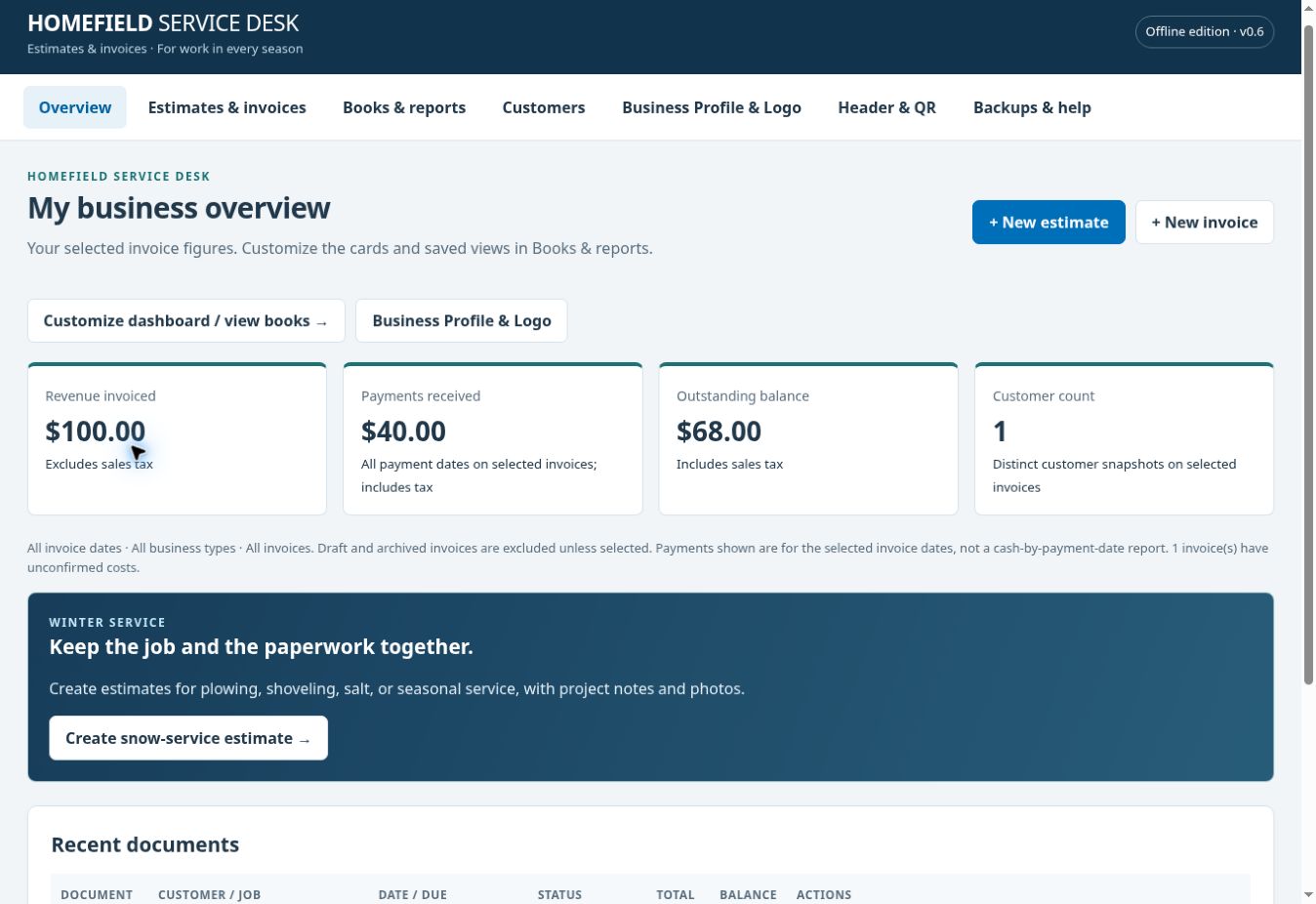
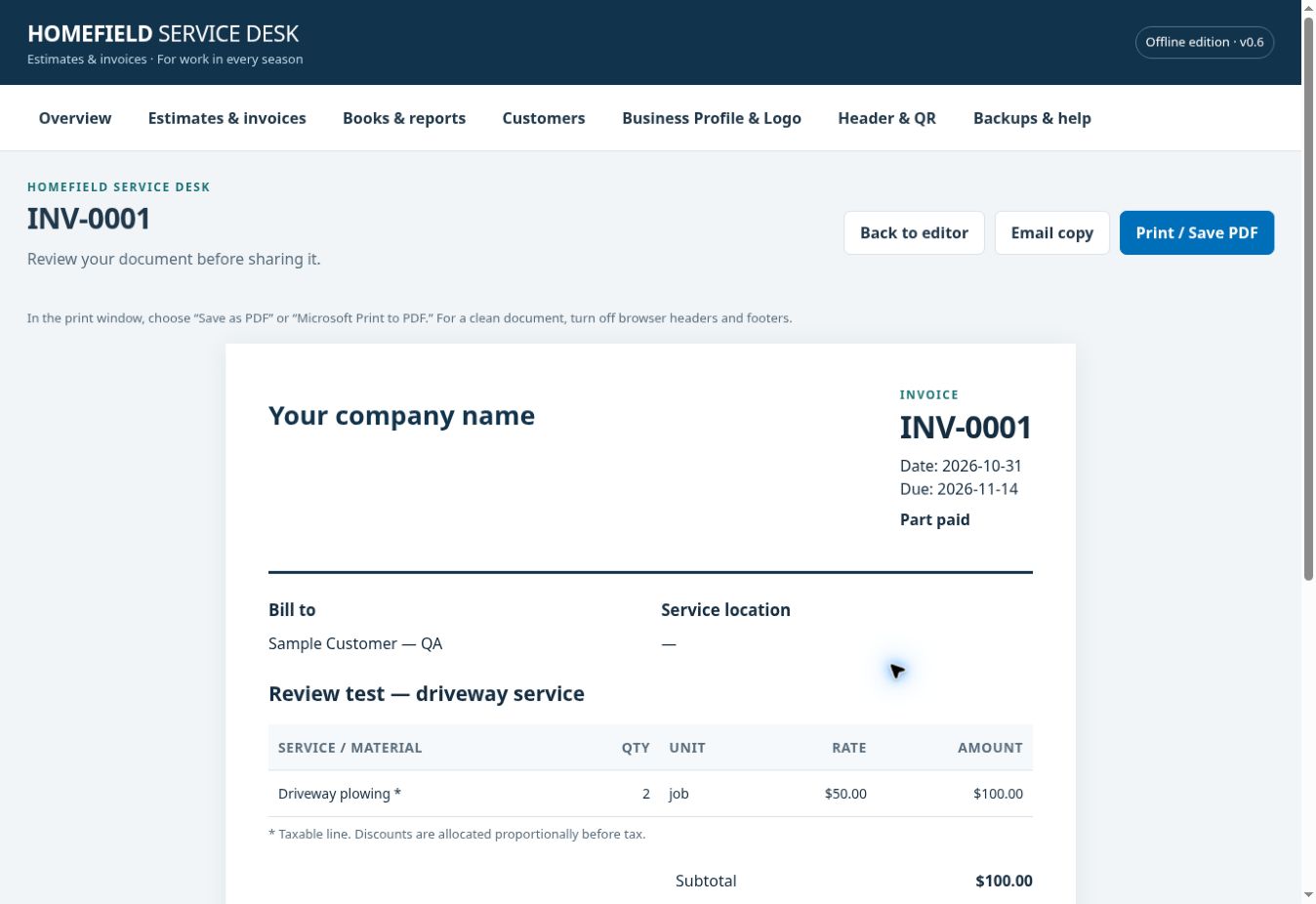
From the first estimate to the final payment record
Spend less time rebuilding paperwork and more time serving your customers.
Make it your business
Add your company details and logo. Choose a header layout, brand color, tagline, contact information, and document footer.
Quote the work clearly
Use editable service templates, quantities, rates, discounts, and tax. Add detailed project notes and up to eight compressed photos per document.
Invoice with confidence
Turn an estimate into a separate invoice. Track manually recorded payments, partial payments, due dates, and outstanding balances.
Print, save, and share
Print an invoice or save a PDF using your browser. Open a prepared email in your email app and attach the PDF yourself.
Understand your work
Filter invoices by date, month, year, service type, or customer. Choose dashboard cards for revenue, customer count, entered costs, and job margin.
Take your records with you
Export books to CSV, preview invoice CSV imports, print filtered records, and download full JSON backups including photos and business settings.
Ready for work in every season
Handyman repairs. Lawn mowing. Deep cleaning. Driveway plowing. Walkway shoveling. Salting and ice management.
Start with a service template, then enter your own prices and scope. Snow templates include depth tiers and seasonal line items; seasonal billing is managed manually.
A professional touch on every document
Generate QR codes for your website, business contact card, hosted payment page, custom HTTPS link, or a short invoice summary. Codes are generated locally.
Invoice-summary QR codes are static snapshots. They do not create a live customer portal or automatically update when a balance changes. Payment links open your own payment provider; receipts must be recorded manually.
A simple start
- Download and extract the ZIP on your Windows computer.
- Open the app with the included launcher or HTML file in a modern browser.
- Add your brand, create a test estimate, and check printing.
- Back up daily and before moving or updating the app.
No Visual Studio or paid plugins are needed. The package includes the app, Windows launcher, instructions, optional fictional demo, and source files.
Know exactly what you are buying
Where are my records stored?
Records stay in the browser profile on the device you use. Clearing browser data can erase them. Use the same browser and file location, avoid private browsing, and keep regular backups in a second safe location. Backup files contain customer data and are not encrypted.
Can I use a phone or tablet?
The layout adapts to mobile screens. Phone and tablet access requires a separately hosted HTTPS edition. The downloaded Windows launcher does not install on a phone. Devices keep separate records; there is no automatic sync or business login in this edition. Physical mobile-device and printer testing is still pending.
Does it process payments or send emails?
It opens your own hosted payment link and your default email app. It does not process cards, automatically confirm payments, send email in the background, or automatically attach PDFs. Payment-provider fees and any hosting charges are separate.
Does it replace my accounting software?
It provides invoice records, CSV exports, customer summaries, and entered job costs. Job margin is revenue less entered job costs before overhead. It does not provide payroll, bank reconciliation, tax filing, or full accounting. Reports select invoices by invoice date, rather than payment-date cash flow.
What does the price include?
The current offline edition is planned at a one-time introductory price of $29 USD. It has no built-in subscription or record-count paywall, though browser storage limits apply. Future cloud CRM, customer accounts, and automatic synchronization are separate projects and are not included or promised with this purchase.
Give your small business a professional front desk.
Homefield Service Desk — $29 introductory one-time price.
Coming soon. Checkout and public downloads will open after testing and launch approval.
Offline Edition · Review edition v0.6 · All amounts in US dollars. Works through browser storage and browser printing. Test your workflow before entering real customer information.